Scheduling posts on Instagram is a great way to make sure your content receives more engagement. Posting at a time of day when users are active means that more of your audience sees your post. Prior to a late-2022 update, users had to use third-party websites and software to do this, which can be costly and inconvenient. Now, posts can be scheduled directly though the app.
This guide explains how you can schedule your Instagram posts without leaving the app.
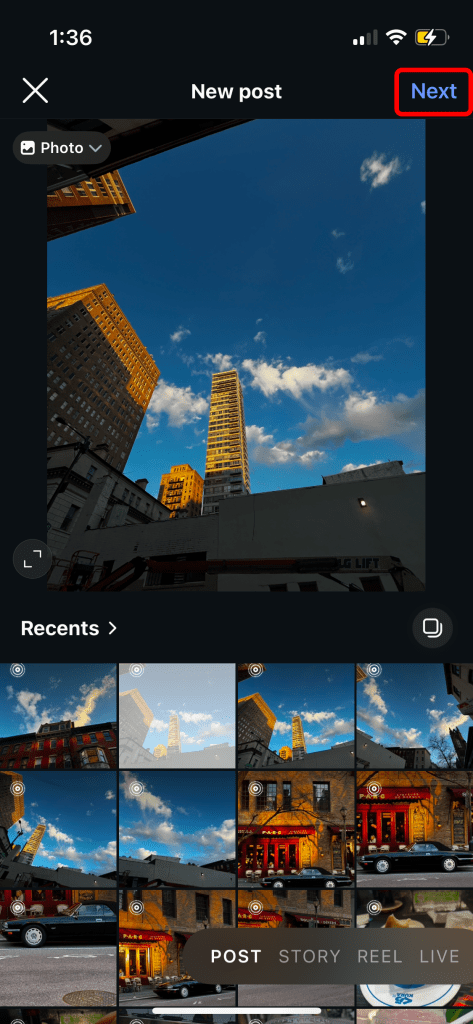
- Select which photo to post, then press Next.
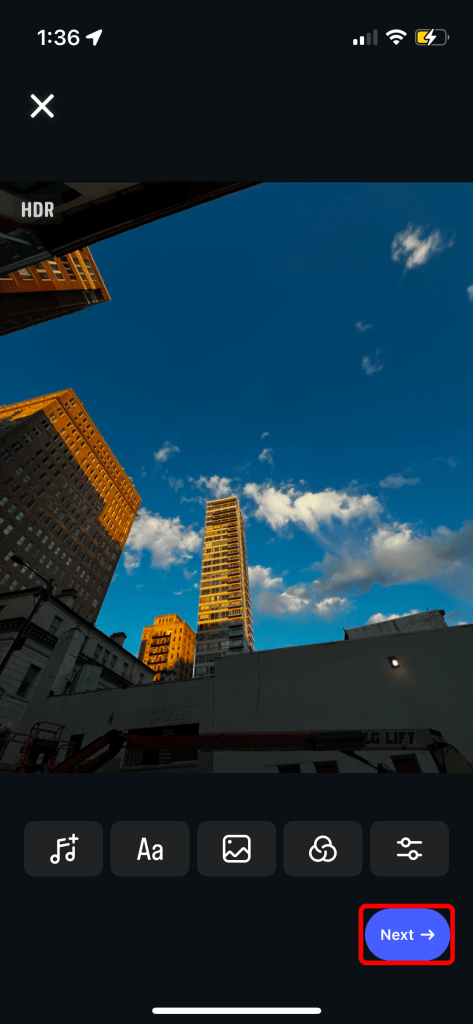
- Edit your photo if desired, then press Next.
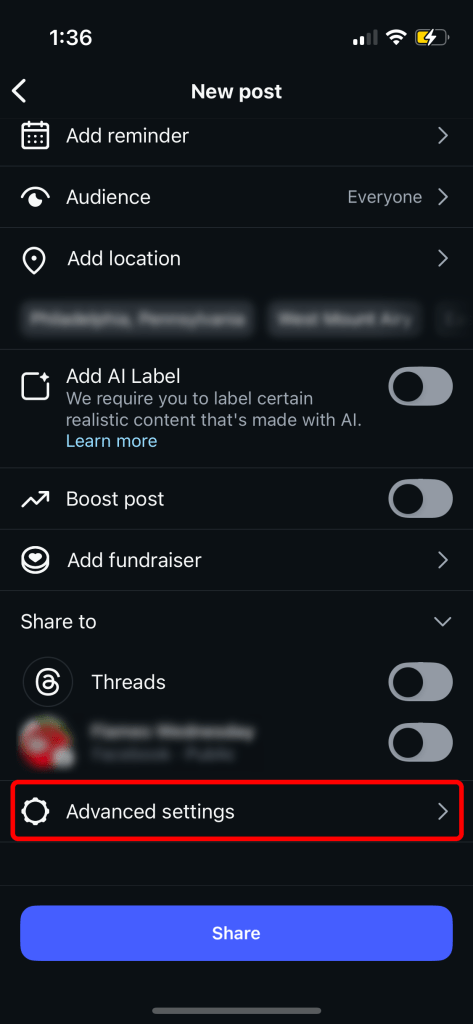
- After adding a caption, location, and music to the post (if desired), scroll to the bottom of the page and press Advanced settings.

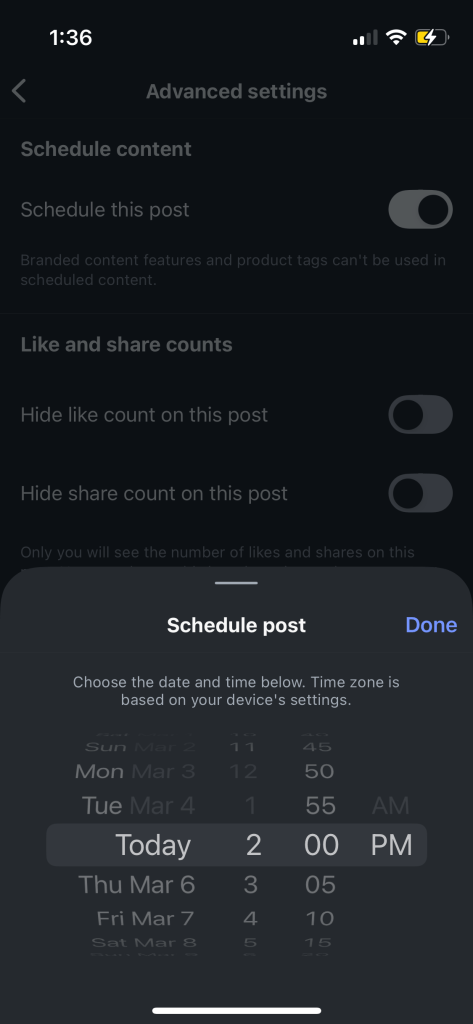
- Using the switch toggle, activate the Schedule this post option. Select the time and date you would like the post to appear, then press Done.

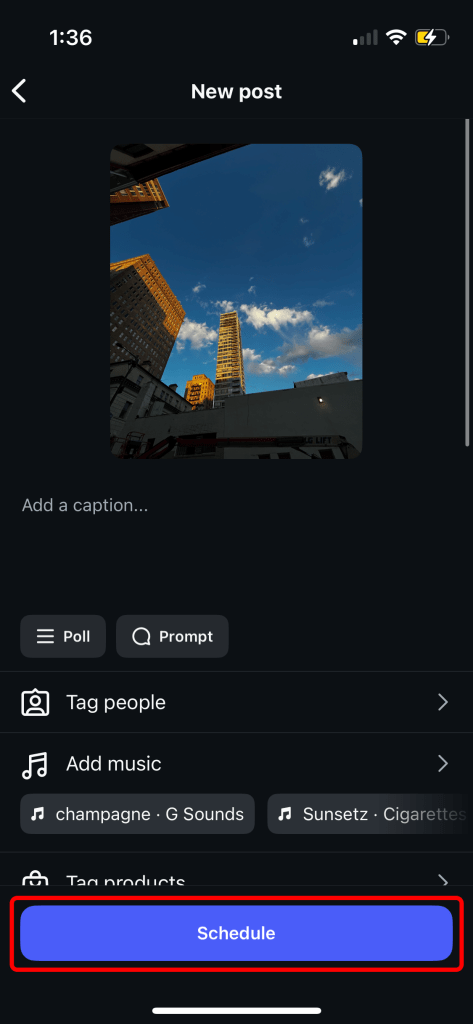
- Press the back button to navigate back to your post. Now, the purple “Share” button reads “Schedule”. Press Schedule to confirm the image to post on the selected time and date.
 Julienne Smith | Technical Writer
Leave a comment